What is 3D Gaussian Splatting?
A beginner-friendly introduction to 3D Gaussian Splatting (3DGS) - transforming ordinary photos into explorable 3D worlds.
From Photos to 3D
Imagine taking a bunch of photos of a place, and then being able to walk through it in 3D - exploring from any angle, as if you were actually there. That’s exactly what 3D Gaussian Splatting (3DGS) does.
Input: Regular photos taken from different angles
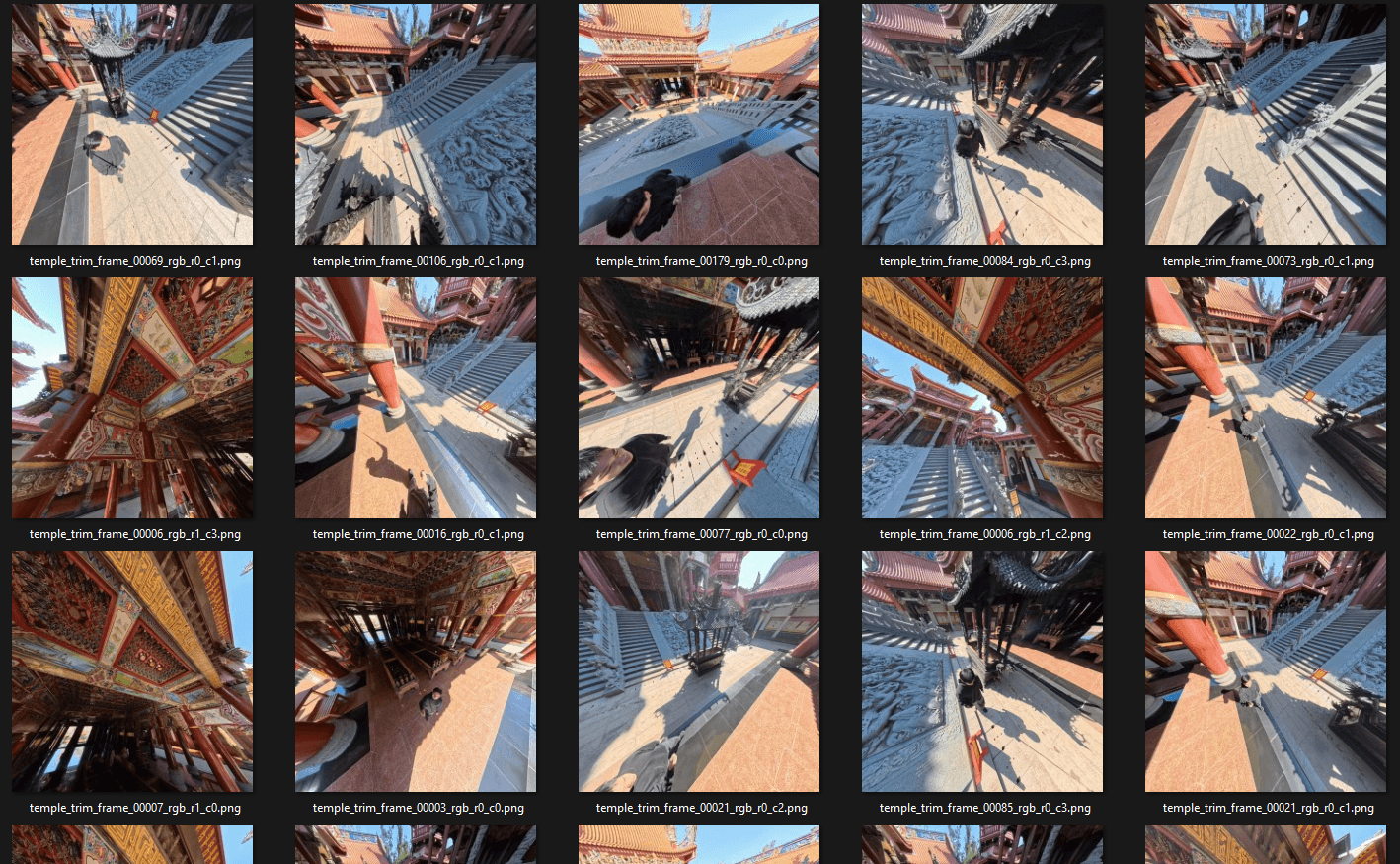
Output: An explorable 3D scene
Free camera exploration
Third-person walkthrough
VR experience
Relight and postprocess
No expensive 3D scanners. No professional equipment. Just your camera (or phone) and the right software.
3DGS vs Traditional 3D Scanning
You might be wondering: how is this different from other 3D scanning methods? Here’s a quick comparison:
Traditional 3D Scanning (LiDAR, Structured Light)
- How it works: Uses lasers or projected patterns to measure distances
- Equipment: Expensive specialized scanners ($1,000 - $50,000+)
- Output: Geometric mesh (triangles)
- Strengths: Precise measurements, works in any lighting
- Weaknesses: Struggles with shiny/transparent surfaces, expensive, slower workflow
Photogrammetry (Traditional)
- How it works: Calculates 3D geometry from overlapping photos
- Equipment: Any camera
- Output: Textured mesh
- Strengths: Accessible, good for solid objects
- Weaknesses: Struggles with fine details (hair, foliage), can produce messy geometry
3D Gaussian Splatting
- How it works: Represents scenes as millions of tiny colored “splats” learned from photos
- Equipment: Any camera
- Output: Point cloud of Gaussians (renders as image, not mesh)
- Strengths: Incredible visual quality, captures fine details, real-time rendering, accessible
- Weaknesses: Not a true mesh (harder to edit), struggles with reflections
| 3D Scanner | Photogrammetry | 3DGS | |
|---|---|---|---|
| Cost | $$$ | $ | $ |
| Visual Quality | Good | Good | Excellent |
| Fine Details | Limited | Limited | Excellent |
| Render Speed | Real-time | Real-time | Real-time |
| Editability | High | High | Medium |
| Learning Curve | Medium | Medium | Low |
Bottom line: 3DGS excels at capturing the look of a scene with photorealistic quality, while traditional methods excel at capturing precise geometry.
How Does It Actually Work?
Without getting too technical, here’s the basic idea:
- Take photos from many angles around your subject
- Software figures out where each photo was taken (camera positions)
- Creates millions of tiny “Gaussians” - think of them as fuzzy, colored dots in 3D space
- Trains/optimizes these Gaussians until the scene looks right from every angle
- Renders in real-time by projecting these Gaussians onto your screen
The magic is in how these Gaussians capture not just position and color, but also shape, transparency, and even view-dependent effects (like how surfaces look different from different angles).
What Can You Do With It?
3DGS is being used for:
- Cultural preservation - Digitizing temples, monuments, and historical sites
- Real estate - Virtual property tours
- Film & VFX - Capturing real locations for visual effects
- Gaming - Creating photorealistic environments
- Personal memories - Preserving places and moments in 3D
Getting Started
Want to try it yourself? Here’s the simplest path:
- Capture - Take 50-100+ photos walking around your subject (or record a 1-2 minute video)
- Process - Upload to Luma AI or Polycam (free tiers available)
- Explore - View your 3D scene in their web viewer
For more control and professional results, check out my detailed guides:
- PostShot: The Easiest Desktop App for 3DGS Training
- Nankunshen Temple Project - A complete walkthrough from capture to VR
Current Limitations
3DGS isn’t perfect for everything:
- Reflective surfaces (mirrors, chrome) - The algorithm gets confused
- Transparent objects (glass, water) - Hard to capture properly
- Moving subjects - Works best on static scenes
- Editing - Unlike meshes, you can’t easily modify the geometry
But the technology is evolving rapidly. What’s impossible today may be solved tomorrow.
Related Articles
- PostShot: The Easiest Way to Train 3DGS
- SuperSplat: Edit 3DGS in Your Browser
- Nankunshen Temple Project - From photos to VR experience
Sources
- Original 3DGS Paper - “3D Gaussian Splatting for Real-Time Radiance Field Rendering” (SIGGRAPH 2023)
- Awesome 3D Gaussian Splatting - Curated list of resources
Get in Touch
Have questions about 3DGS or want to collaborate on a project?