Smart Warehouse CAD-to-SimReady Digital Twin
An industrial OpenUSD / Omniverse warehouse scene that connects CAD-derived assets, SimReady warehouse components, operational event overlays, camera intent, and validation artifacts.
From CAD files to an inspection-ready warehouse twin
Industrial digital-twin work usually starts with fragments: CAD files, equipment models, warehouse layouts, camera locations, safety zones, and operational events. This project focuses on turning those fragments into scene structure that can be inspected.
This project builds a smart warehouse / inspection-cell digital twin in OpenUSD. The stage combines CAD-derived assets, NVIDIA warehouse / factory assets, camera intent, operational event overlays, and validation reports into one Omniverse-readable scene.
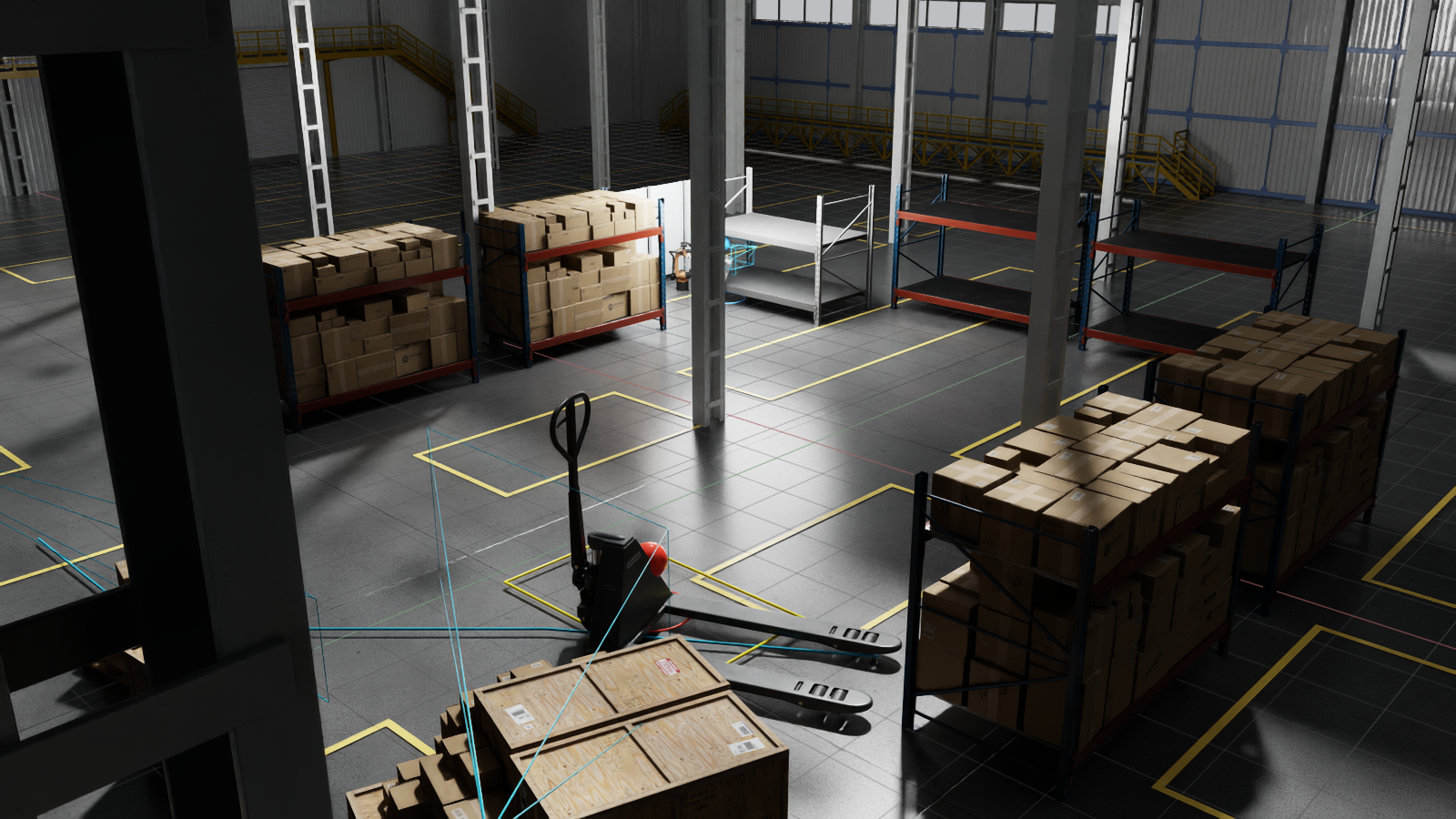
Warehouse overview. A composed OpenUSD stage with storage racks, receiving congestion, pallet-truck context, event beacons, and camera coverage markers.
Integration problem
CAD files, warehouse asset packs, inspection targets, camera plans, and operations events live in separate tools. A finished render hides where those inputs came from.
Converted CAD, referenced warehouse assets, event JSON, camera coverage, safety zones, and validation checks become one OpenUSD stage that can be reviewed visually and programmatically.
Pipeline
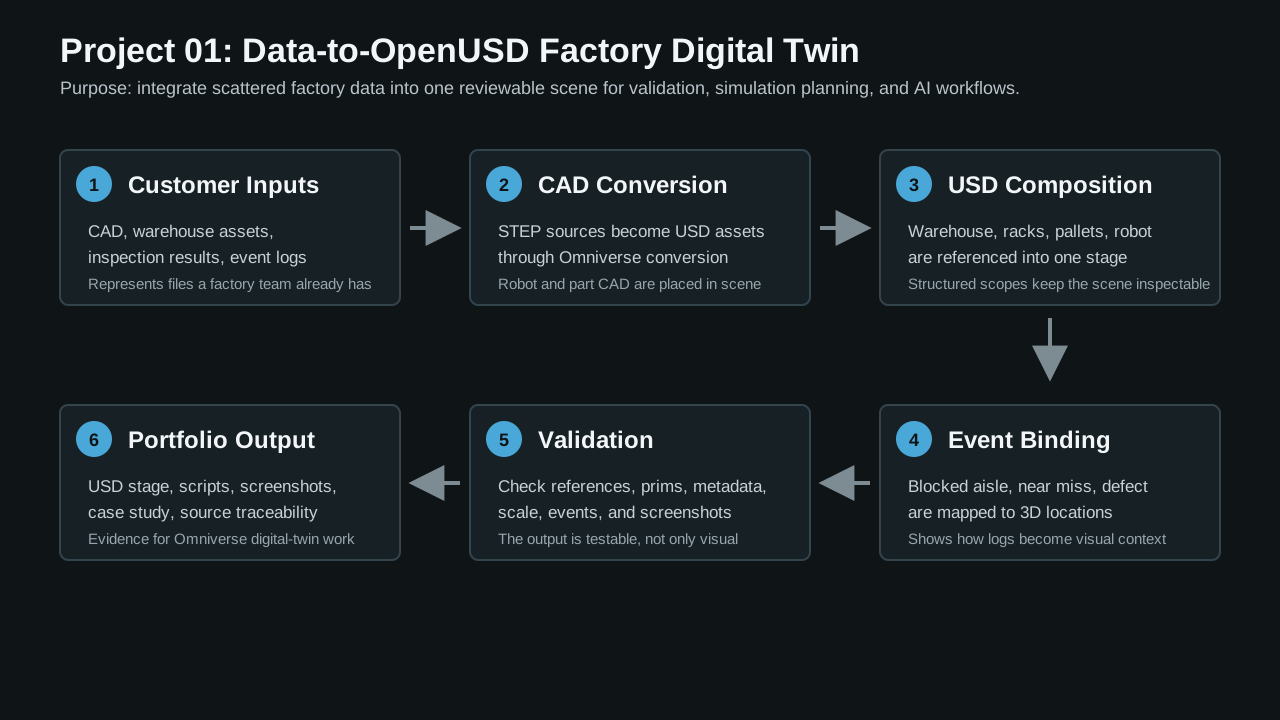
Repeatable pipeline. CAD, warehouse assets, operational events, and validation reports are composed into a SimReady-oriented OpenUSD scene.
NIST STEP parts, Kuka STEP source, warehouse asset packs, and SimReady components.
A structured /SmartWarehouse stage with environment, storage, receiving, operations, inspection cell, sensors, and event overlays.
Blocked aisle, near-miss, and defect-detected events are mapped into 3D positions with source IDs.
The stage is checked for required prims, authored references, up axis, scale, bounds, and event coverage.
Scene material
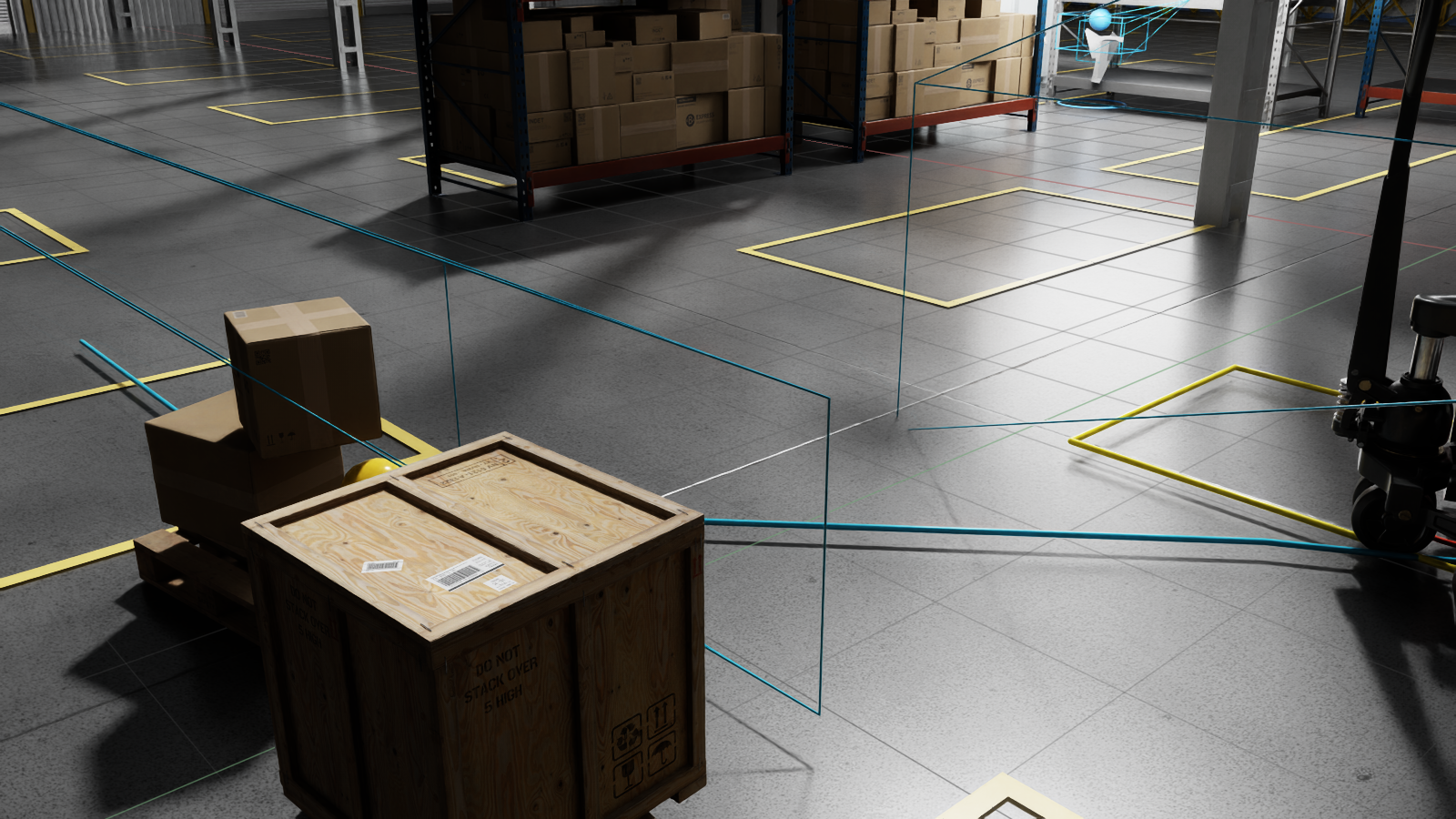
Receiving event. Pallet congestion is mapped to a blocked-lane event while a pallet-truck path intersects the safety zone.
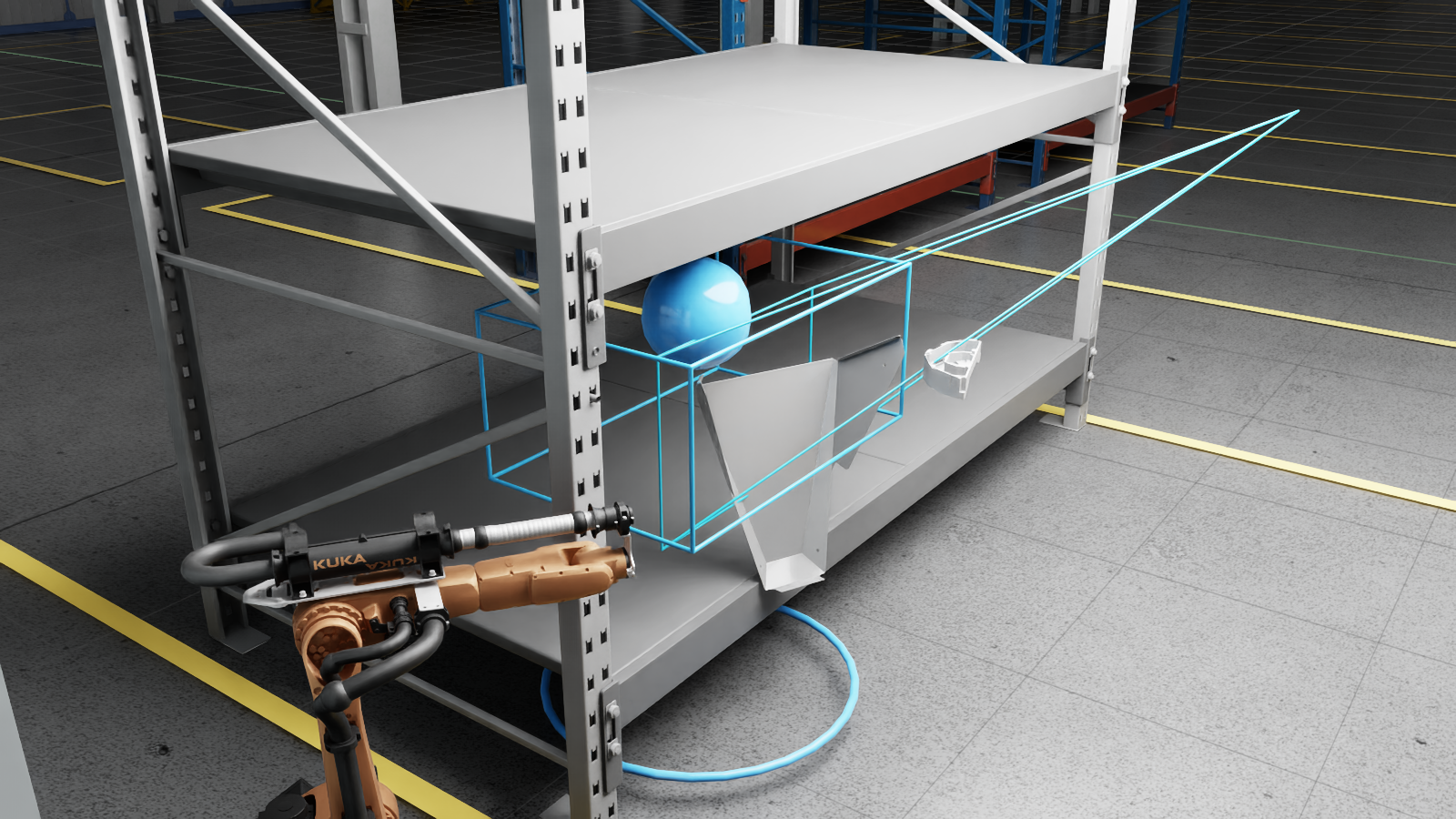
Inspection cell. CAD-derived Kuka workcell, defect-detection target, converted part, and inspection overlay.
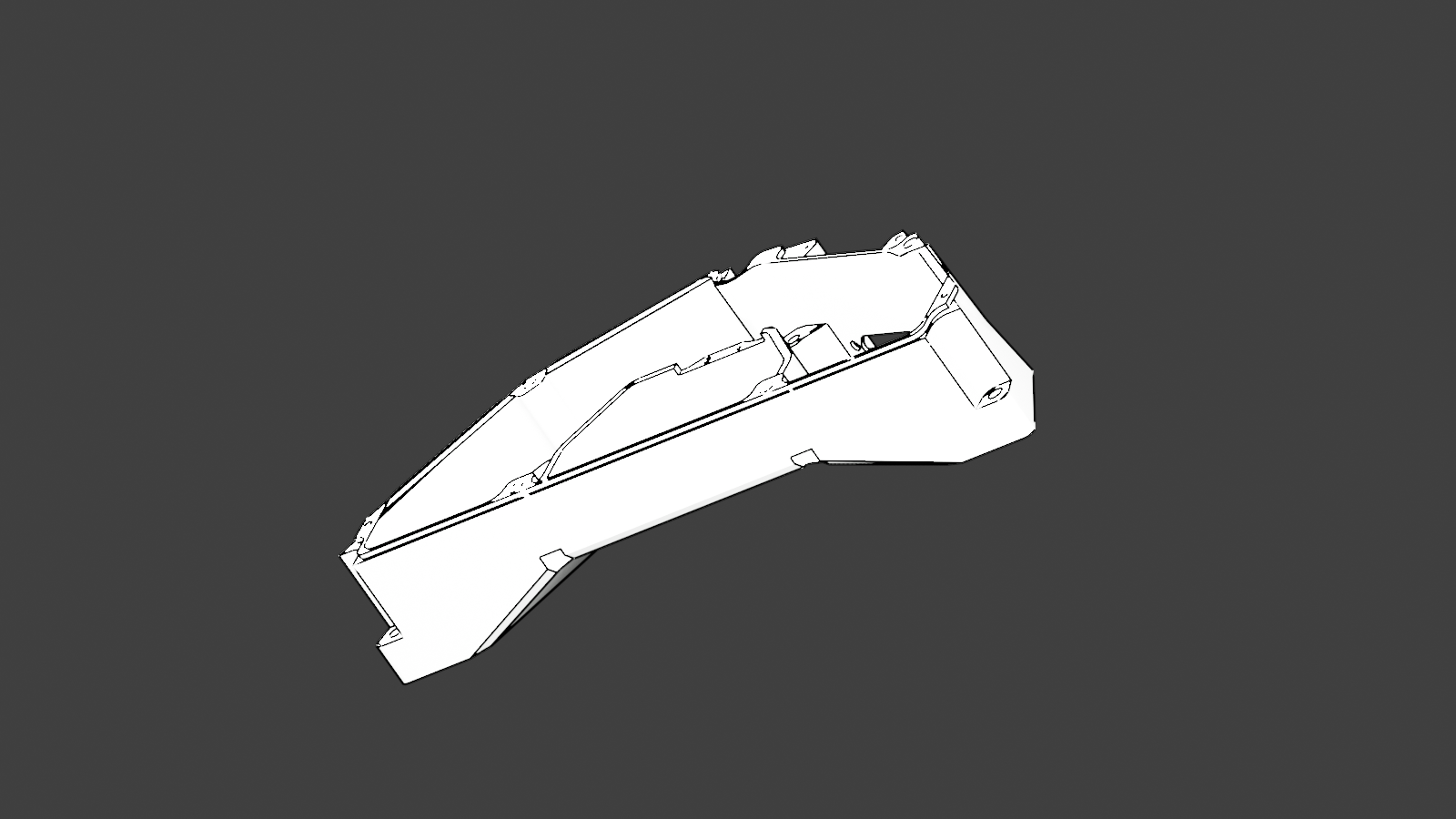
CAD / USD check. The inspection cell uses converted or referenced engineering assets as part of the scene record.
Scene structure check
stage validation
validated prims in the current report
authored asset references
normalized scene bounds
The validation script checks the default prim, units, up axis, required warehouse structure, authored references, nontrivial scene bounds, and event coverage. It also verifies three operational event types: blocked receiving lane, pallet-truck near miss, and surface defect detected.
BIM/VDC coordination layer
The warehouse scene already shows how CAD-derived assets, operational events, and validation checks become an OpenUSD stage. I added a BIM/VDC source path for the same reason: facility review also needs source element identity, not just a composed 3D view.
This extension uses a public buildingSMART IFC fixture as the BIM input, extracts entity/category metadata, assigns deterministic proxy bounds, checks representative fab-style equipment keepout envelopes, and writes the results as JSON, a Markdown issue report, and an OpenUSD-style USDA coordination layer.
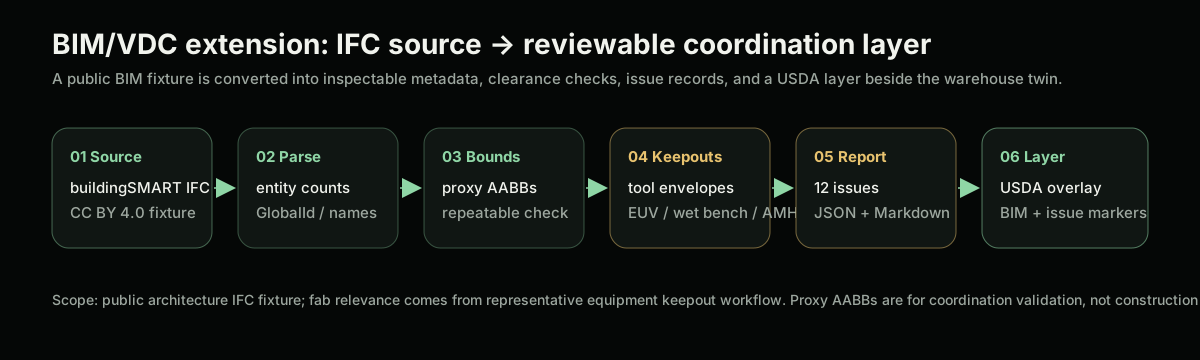
IFC to coordination layer. The BIM layer keeps source identity, clearance checks, issue markers, and a USDA overlay readable beside the warehouse scene.
public IFC fixture, CC BY 4.0
IFC entity types counted
product-like elements across 4 IFC categories
clash / clearance records from 3 equipment mockups
| Generated material | What it preserves |
|---|---|
| element summary JSON | source URL, license, parser mode, IFC entity counts, GlobalId/name fields, proxy bounds |
| clash / clearance JSON | equipment envelopes, issue IDs, severity, affected BIM element, distance, validation basis |
| USDA coordination layer | BIM proxy elements, fab-style keepout boxes, and per-issue markers for OpenUSD-style composition |
Source note. The IFC fixture is generic public architecture, not a semiconductor fab. The EUV scanner, wet bench, and AMHS stocker are representative keepout mockups. The boxes are deterministic proxy validation so the workflow stays reproducible; native IFC geometry and BCF-style issue export would be the next production upgrades.
Scope
- OpenUSD stage composition script
- CAD / STEP conversion checks for factory components
- referenced warehouse and factory asset structure
- event JSON mapped into scene coordinates
- validation report and screenshot manifest
- public asset packs stand in for a customer facility
- operational events are authored JSON
- physics and collision proxies are a next-stage extension
- deployment integration and live warehouse control remain outside this prototype
Where this workflow applies
This industrial companion to the smart-city traffic case connects most directly to Omniverse, OpenUSD, CAD/BIM/Revit import, SimReady assets, factory or warehouse simulation, synthetic data, robotics testing, and Physical AI workflows.
The practical value is straightforward: messy engineering / operations inputs become a structured 3D scene that can be inspected as data and reviewed visually.